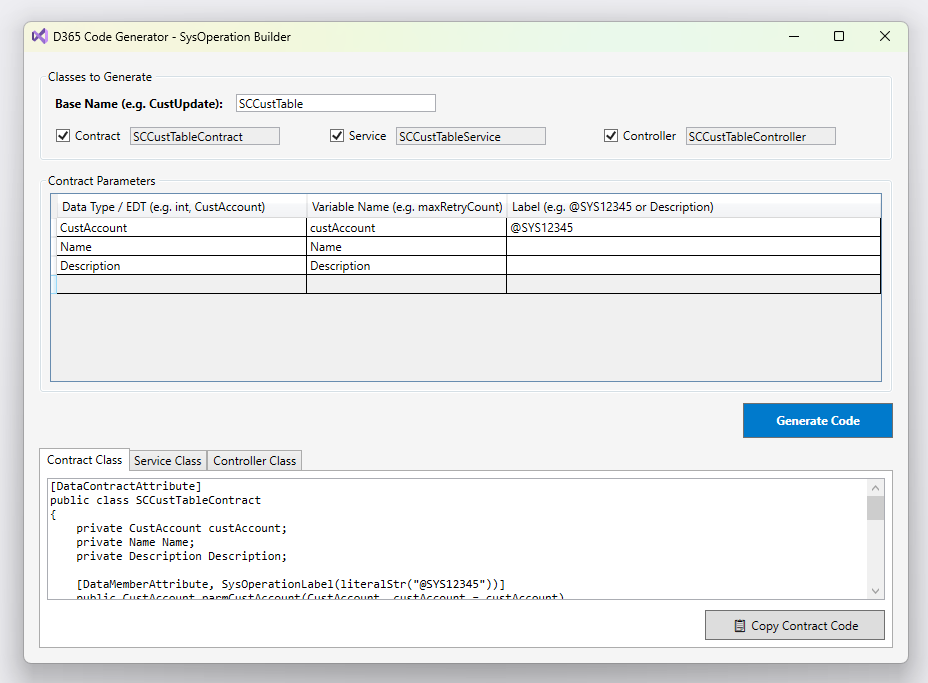
Every Dynamics 365 Finance & Operations developer knows the drill: whenever you need to implement a batch process or asynchronous operation using the **SysOperation framework**, you end up writing the same structural code repeatedly. Creating a complete SysOperation pattern requires at least three distinct classes: Data Contract Class (`DataContractAttribute`, `DataMemberAttribute`, parm methods) Service Class (Business logic execution) Controller Class (`SysOperationServiceController`, `main` method, dialog settings) While the framework itself is robust and essential, writing this boilerplate code manually is time-consuming and repetitive. To solve this pain point in my daily workflow, I built **D365 Code Generator**—a lightweight, standalone Visual Studio 2022…
-
-
Hello guys, I explained this process in my medium account. Here is the post: https://semihcelikol.medium.com/how-to-add-a-custom-header-in-net-core-web-api-d7b0f7749d9a
-
Hello guys, In this article, I will be talking about using bootstrap modal. I will answer the question of how I can use the bootstrap model with jquery. I updated the article and published it on my Medium account. You can access it here.
-
Hello guys, As you know Dynamics Ax AIF services it has a complicated structure. Sometimes we just want to export specific data. For example, instead of fully opening CustTable, we may only want to open the fields AccountNum and AccountName. Another reason is that if you directly open the CustTable, it will respond to you as complex XML. However, if you open it as a model, you can get the output as JSON. In such cases, we need to create a model class. Below, I explain how to create and use this model class. Let’s start. 1- Create new class:…